
Shopify Optimization
April 06, 2026
The Shopify Blog Paradox: Should You Use a Template App or Go Native?
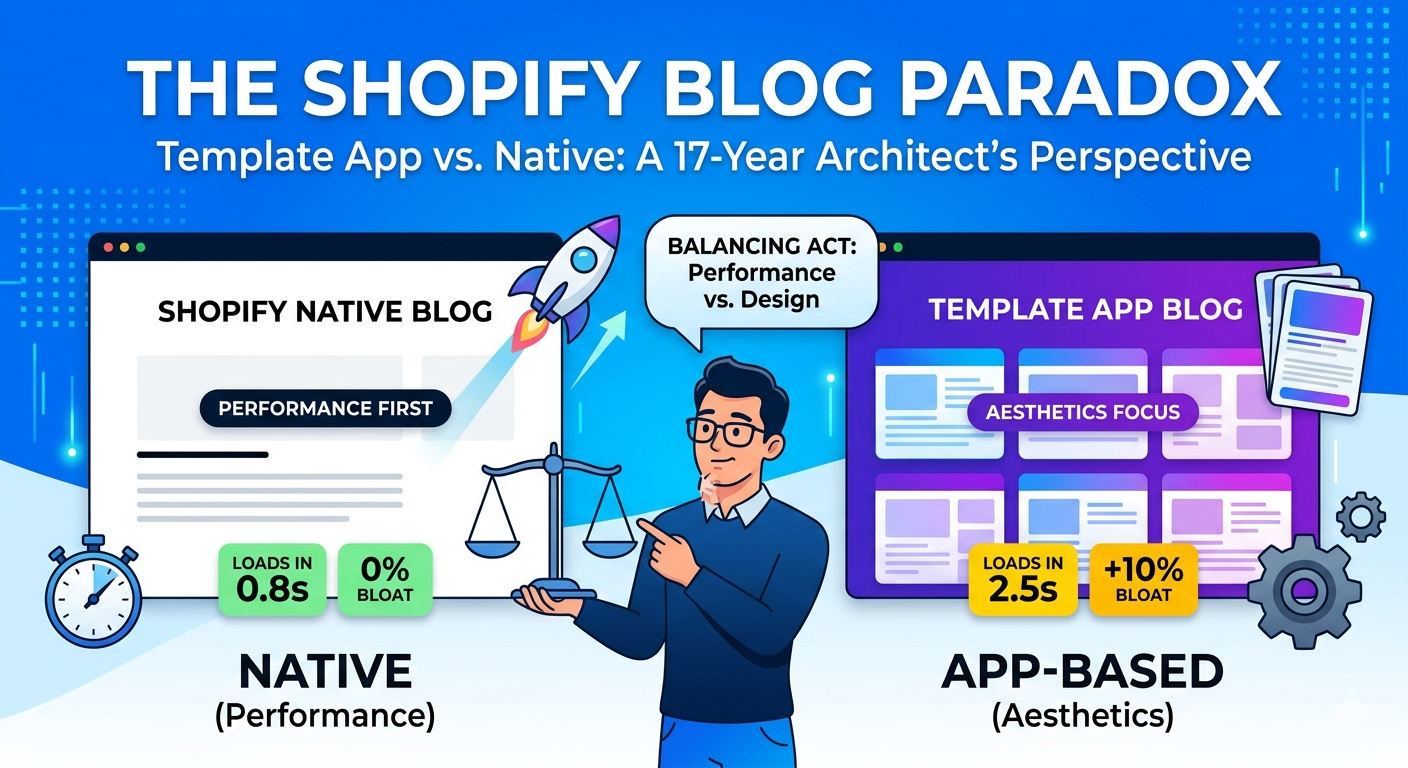
Most Shopify merchants reach a point where the default blog layout feels... "boring." It’s often a single column of text that looks like a 1998 Word document. When you search for a fix, you usually find two extremes:
1. The "Basic" Default: Great for speed, terrible for engagement.
2. The "Design-Focused" App: Beautiful templates, but often heavy on JavaScript and recurring subscription costs.
If you are considering an app like Magefan (with its 22+ templates) or similar "Blog Builders," here is what you need to consider before hitting "Install."
1. The Hidden Cost of "App-Based" Blogs Apps that "take over" your blog often do so by rendering content through a proxy or an iframe.
• The SEO Risk: Google loves native Shopify Liquid because it loads server-side. Some blog apps load client-side via JavaScript, which can delay "Largest Contentful Paint" (LCP)—a key SEO metric.
• The Lock-in: If you write 50 articles in a proprietary app and decide to uninstall it later, migrating that formatting back to native Shopify can be a nightmare.
2. The "Architecture First" Approach to Readability Before you pay $15–$50/month for a blog app, try these 3 Professional Layout Tweaks. These are the "secrets" high-end agencies use to make Shopify blogs look like Medium or Substack without using an app.
A. The "Golden" Content Width The #1 reason blogs look "basic" or "bad" is that the text spans the whole screen. Human eyes hate long lines.
• The Fix: Limit your article body width to 720px.
• Why: It creates a vertical "flow" that keeps the reader moving down the page.
B. Vertical Rhythm (Line-Height)
Default themes often cram lines together.
• The Fix: Set your line-height to 1.6 or 1.8.
• Why: White space between lines reduces "eye fatigue," making your long-form content actually readable.
C. Section-Based Interactivity
Instead of a "Blog App," look for Section Templates. Modern Shopify themes (OS 2.0) allow you to add "Sections" to your blog posts. You can add a "Featured Product" or a "Newsletter Signup" directly into the post without a heavy third-party app.
3. When SHOULD you use an app like Magefan?
If you are a high-volume content creator who needs Category Trees, Author Profiles, or Advanced Commenting systems (like Disqus integration) and you don't have a developer on hand—then yes, an app is worth the investment. Magefan is a respected choice because of its variety. But if you only want your blog to "look better," you are likely paying for 90% of features you won't use.
The Verdict
As a developer building high-performance Shopify apps (like Revnous Bulk Pricing Editor), my philosophy is always: Native first, App second.
If you can achieve 80% of the look you want by tweaking your theme's CSS or using a "Section-based" builder, your site speed (and your wallet) will thank you.
1. The "Basic" Default: Great for speed, terrible for engagement.
2. The "Design-Focused" App: Beautiful templates, but often heavy on JavaScript and recurring subscription costs.
If you are considering an app like Magefan (with its 22+ templates) or similar "Blog Builders," here is what you need to consider before hitting "Install."
1. The Hidden Cost of "App-Based" Blogs Apps that "take over" your blog often do so by rendering content through a proxy or an iframe.
• The SEO Risk: Google loves native Shopify Liquid because it loads server-side. Some blog apps load client-side via JavaScript, which can delay "Largest Contentful Paint" (LCP)—a key SEO metric.
• The Lock-in: If you write 50 articles in a proprietary app and decide to uninstall it later, migrating that formatting back to native Shopify can be a nightmare.
2. The "Architecture First" Approach to Readability Before you pay $15–$50/month for a blog app, try these 3 Professional Layout Tweaks. These are the "secrets" high-end agencies use to make Shopify blogs look like Medium or Substack without using an app.
A. The "Golden" Content Width The #1 reason blogs look "basic" or "bad" is that the text spans the whole screen. Human eyes hate long lines.
• The Fix: Limit your article body width to 720px.
• Why: It creates a vertical "flow" that keeps the reader moving down the page.
B. Vertical Rhythm (Line-Height)
Default themes often cram lines together.
• The Fix: Set your line-height to 1.6 or 1.8.
• Why: White space between lines reduces "eye fatigue," making your long-form content actually readable.
C. Section-Based Interactivity
Instead of a "Blog App," look for Section Templates. Modern Shopify themes (OS 2.0) allow you to add "Sections" to your blog posts. You can add a "Featured Product" or a "Newsletter Signup" directly into the post without a heavy third-party app.
3. When SHOULD you use an app like Magefan?
If you are a high-volume content creator who needs Category Trees, Author Profiles, or Advanced Commenting systems (like Disqus integration) and you don't have a developer on hand—then yes, an app is worth the investment. Magefan is a respected choice because of its variety. But if you only want your blog to "look better," you are likely paying for 90% of features you won't use.
The Verdict
As a developer building high-performance Shopify apps (like Revnous Bulk Pricing Editor), my philosophy is always: Native first, App second.
If you can achieve 80% of the look you want by tweaking your theme's CSS or using a "Section-based" builder, your site speed (and your wallet) will thank you.



Ready to Boost Your Revenue?
Join 66,000+ brands already using Revnous to drive sustainable growth